
You are reading this guide on IPTV USA, the official SmartVPro website (smartvpro.us). See our IPTV subscription USA plans.

For a lot of US households, sports is the last reason they still pay for cable. IPTV for sports changes that math: one subscription can cover pro and college football, the NBA, MLB, NHL, international soccer and fight nights without a separate sports package. Sports is also where any streaming setup is pushed hardest, because everyone presses play at the same moment.
This guide explains what sports IPTV covers, what the best IPTV for sports should offer, how to keep the picture stable on game day and what US fans ask us most before they subscribe.
What Is IPTV for Sports?
IPTV for sports means watching live sports channels over your internet connection instead of a cable box or satellite dish. You install an IPTV player on a Fire TV Stick, Smart TV, Android TV box, phone or computer, sign in with your subscription details, and the sports channels appear in a guide just like cable.
The difference is in what you pay for. Cable bundles sports networks into higher tiers and adds regional sports fees and box rental on top. A sports IPTV subscription is one price for the whole lineup, and you can stop at the end of the plan without a cancellation fee.
What Sports Coverage Looks Like on SmartVPro
- Football: pro and college games through the season, plus studio shows and highlights.
- Basketball, baseball and hockey: national broadcasts and regional sports networks.
- Soccer: US and international leagues and cup competitions.
- Combat sports: boxing and MMA, including pay-per-view fight nights.
- Motorsport, golf, tennis and more on dedicated sports channels.
Sports and PPV channels are included in every plan; there is no sports add-on. Lineups change over a season, so if one league matters most, send us the channel on WhatsApp and we will confirm it before you buy. The US channel guide shows how the sports groups are organized in the app.
NFL IPTV: Watching Pro and College Football
Football drives more sports IPTV sign-ups than any other sport, and searches for NFL IPTV jump every September. On SmartVPro, football coverage comes through network affiliates from large US markets, national sports networks and league channels, plus pre-game and studio shows.
Sunday afternoons are the busiest hours of the week for any IPTV provider, because several games kick off at once. If football is your main reason to switch, run your test during a real Sunday window, not on a quiet Tuesday. College football Saturdays are a good second test, since conference games are spread across many channels.
NBA, MLB and NHL on IPTV
Basketball, baseball and hockey seasons are long, and many games air only on regional sports networks. That is where an IPTV for sports subscription often saves the most compared with cable, which charges regional sports fees on top of the base package.
- NBA IPTV: national broadcasts and regional networks, with the busiest nights during the playoffs.
- MLB IPTV: regional sports networks carry most regular-season games, so check your team’s network first.
- NHL IPTV: national and regional coverage, plus Canadian channel groups for fans who follow teams north of the border.
Because team coverage depends on regional networks, tell us your team before you subscribe and we will check which channels carry its games.
IPTV PPV: UFC, Boxing and Fight Nights
Pay-per-view events are where IPTV PPV stands out against cable, which charges for each fight on top of your monthly bill. On SmartVPro, PPV event channels are part of the lineup in every plan, and they appear in the guide before the event starts.
Main cards draw the biggest audiences of the year, so start the stream a few minutes early, use a wired connection and choose the HD version of the channel if your speed is close to the limit. That small change prevents most freezes during a main event.
Soccer, Motorsport, Golf and Tennis
Soccer fans get US and international leagues and cup competitions, which matters for households that follow teams from Latin America or Europe. Motorsport, golf and tennis run on dedicated sports channels, and long events such as golf tournaments are a good way to see how stable a sports IPTV service is over several hours.
What Makes the Best IPTV for Sports?
The best IPTV for sports is not the one with the biggest channel count. It is the service that stays stable when millions of people press play at once, carries the leagues you follow and lets you prove both before you commit. Check these five points with any provider, including us:
- Stability at peak time. Test during a prime-time game or a Sunday afternoon, when servers are busiest.
- Your channels, not a big number. Confirm your team’s regional network and the PPV events you care about.
- HD and 4K options. A good sports IPTV service offers several versions of each channel so you can match your speed.
- A refund window. SmartVPro has a 7-day money-back guarantee, and a 24-hour test pass for $1.
- Support during the game. Problems happen at kickoff, not at 10 a.m. SmartVPro support is on WhatsApp 24/7.
For a wider comparison of providers, read our guide to the best IPTV in the USA.
Why Game Day Is the Real Test
When a big game starts, millions of people press play at the same moment. That puts pressure on every link in the chain: the provider’s servers, your internet provider’s network and your home Wi-Fi. A setup that works perfectly on a quiet weekday can stutter at kickoff. That is why a test on a real game night tells you more than any review.
How to Get a Stable Picture for Live Sports
- Plug the TV in with Ethernet. This is the single biggest improvement for most homes. Fire TV users can add an inexpensive Ethernet adapter.
- Use the 5 GHz Wi-Fi band if a cable is not possible, and keep the router in the open, not in a cabinet.
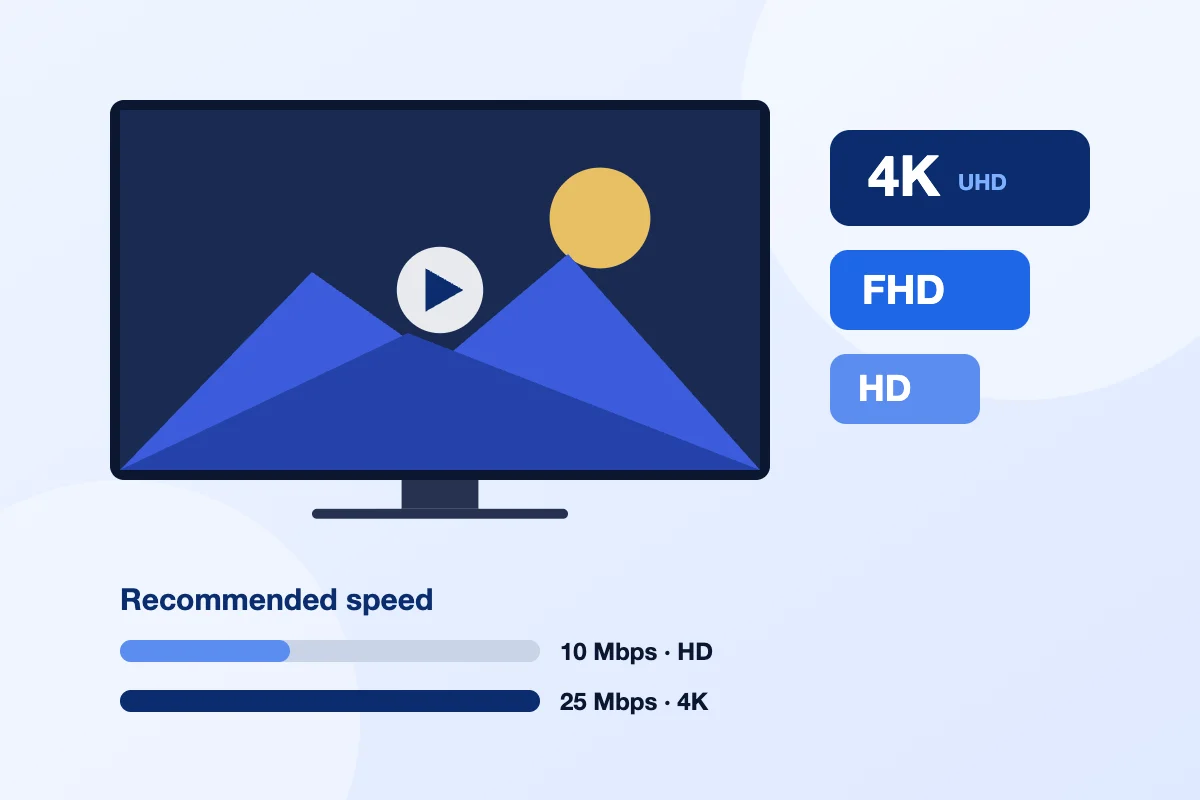
- Leave headroom. Plan on 25 Mbps for one 4K stream and about 10 Mbps for HD, plus whatever else your home is using.
- Pause big downloads such as game consoles and cloud backups during the game.
- Switch feeds if needed. If the 4K version struggles, the HD version of the same channel uses far less bandwidth.
- Restart the device before the game. Streaming sticks free up memory and run more smoothly after a restart.
For a full walkthrough of speeds, Wi-Fi and player settings, read why IPTV keeps buffering and how to fix it. Comparing costs first? See our IPTV vs. cable sports breakdown.
How much speed you need depends on the quality and the number of screens. The FCC broadband speed guide is a useful reference for what each internet tier can handle.
| What you watch | Suggested speed |
|---|---|
| One game in HD or Full HD | About 10 Mbps |
| One game in 4K (where the broadcast is 4K) | About 25 Mbps |
| Two games at once on a 2-device plan | Add both speeds together |
Can You Watch Sports in 4K With IPTV?
Yes, when the broadcast itself is produced in 4K. Many big games and events are, but most regular-season games still air in HD or Full HD. SmartVPro carries the 4K version where it exists and HD or Full HD on the rest, so you always have a version that fits your connection.
Two Games at Once?
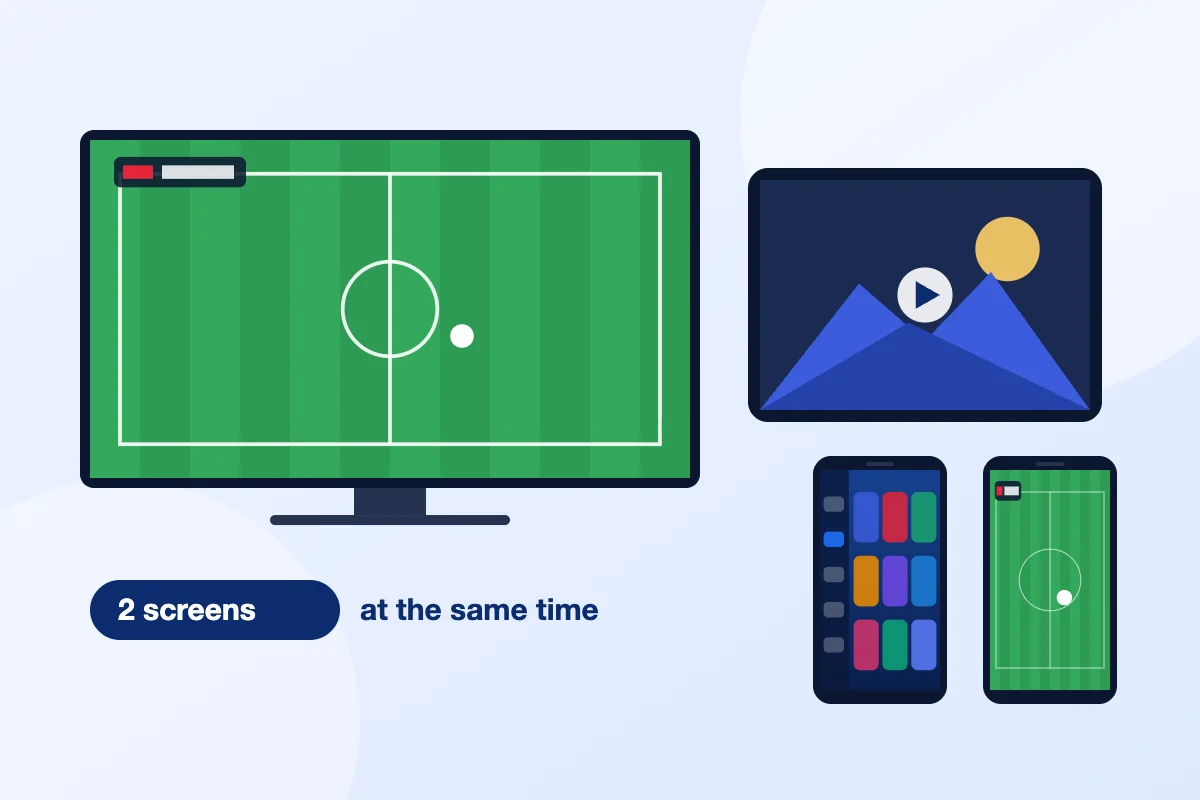
If someone in your home wants a different game on another screen, choose a 2-device plan. Both screens can stream at the same time, which is handy on Sundays, during March basketball or when a fight night overlaps with a ball game.
How to Set Up IPTV for Sports Before Game Day
Do the setup a day before the game, not ten minutes before kickoff. The steps are the same on most devices:
- Pick your device. A Fire TV Stick 4K, an Android TV box or a recent Smart TV gives the smoothest picture for live sports. Older sticks can struggle with 4K.
- Install the player app. Our setup guide covers Fire TV, Smart TVs, Android, iPhone and computers step by step.
- Sign in with your details. They arrive by email after payment. Copy them exactly, including capital letters.
- Add your sports channels to favorites. Most players let you build a favorites list, so your team’s network is one click away on game day.
- Run a test at the same time of day you watch. Evening tests show how the stream behaves under real load.
If anything looks wrong, message support on WhatsApp with the device model and the channel name. That is the fastest way to get it fixed before the game starts.
How to Find Your Game in the Sports IPTV Guide
Sports channels are grouped in folders inside the app, usually by sport, league and country. The TV guide shows what is on now and next, so you can search a team name or scroll the sports folder to find a game. On supported channels, catch-up lets you go back to a game that already aired, which is handy when kickoff clashes with work or a late flight.
Many fans keep two lists: a favorites folder for the channels they watch every week, and the PPV folder for fight nights and special events. Keeping the list short makes switching between games faster on busy Sundays.
When to Test Sports IPTV During the Year
The best moment to test any sports IPTV service is during the season you care about most, because that is when demand peaks:
- Football: September to February, with Sunday afternoons and prime-time games as the hardest tests.
- Basketball and hockey: October to June, with the playoffs as the busiest stretch.
- Baseball: late March to October, when regional sports networks carry most games.
- PPV and fight nights: all year, with main events late on Saturday nights.
A test during the off-season shows that the service works, but a test on a big game night shows that it keeps working when it matters.
Common Game-Day Problems and Quick Fixes
- The picture freezes every few minutes. Switch the TV to Ethernet or move the router closer, then pick the HD version of the channel.
- Sound is ahead of the picture. Change the player’s decoder setting or restart the app. This is usually a device issue, not the stream.
- The channel shows no signal before the game. Event channels often go live shortly before the start time. Check the guide, then message support if it is still off at kickoff.
- Everything was fine yesterday and slow today. Restart the router and the device, and pause downloads or other streams in the house.
Our article on why IPTV keeps buffering goes through each fix in more detail.
Who Should Choose IPTV for Sports?
IPTV for sports fits best if you follow several leagues, watch a team from another state or country, or pay for cable mainly because of sports. It also suits households that want PPV fight nights without paying for each event, and fans who watch on more than one screen.
It is a weaker fit if your internet is slow or unstable at night, or if you only watch one local game a week on a free antenna channel. In that case, run the $1 test first and see whether the picture holds up on your connection before you commit to a longer plan.
Most fans start with the 1-month plan for a full season test, then move to a 6 or 12-month plan once they know the service works for their teams. All plans include the same sports and PPV channels.
IPTV for Sports vs Cable Sports Packages
With cable, sports usually means a higher tier, regional sports fees, a box rental and separate PPV charges. IPTV for sports replaces that with one price for the full lineup, including PPV event channels, and no contract. SmartVPro plans start at $14.99 for one month. Our IPTV vs cable cost breakdown shows the full comparison.
Sports Fans’ Questions
What is the best IPTV for sports?
The best IPTV for sports carries the leagues and PPV events you follow, stays stable during prime-time games, offers HD and 4K versions and lets you test before you commit. SmartVPro includes sports and PPV channels in every plan, with a 7-day money-back guarantee.
Can I watch NFL games with IPTV?
Yes. NFL IPTV coverage on SmartVPro comes through network affiliates from large US markets, national sports networks and league channels. Test it on a Sunday afternoon, the busiest window of the week, before you choose a long plan.
Are PPV events like UFC and boxing included?
Yes. PPV event channels are part of the SmartVPro lineup in every plan, with no extra charge per fight. The event channels appear in the TV guide before the event starts.
Can I watch NBA, MLB and NHL games on IPTV?
Yes. SmartVPro carries national broadcasts and regional sports networks for basketball, baseball and hockey. Many regular-season games air only on regional networks, so tell us your team and we will check its channel before you buy.
What internet speed do I need for sports IPTV?
Plan on about 10 Mbps for one game in HD and about 25 Mbps for one game in 4K. For two games at once, add both speeds together. A wired Ethernet connection keeps the picture steadier than Wi-Fi.
Why does IPTV buffer during big games?
Buffering during big games usually comes from busy Wi-Fi, a slow device or an internet connection that drops at peak time. Plug the TV in with Ethernet, close other streams and switch to the HD version of the channel if your speed is close to the limit.
Can I watch live sports in 4K with IPTV?
Yes, when the broadcast is produced in 4K. SmartVPro carries the 4K version where it exists and HD or Full HD on other games. A 4K stream needs about 25 Mbps of stable speed.
Can I watch two games at the same time?
Yes, with a 2-device plan. Both screens can stream different games at the same time. A 1-device plan streams on one screen at a time, even if the app is installed on several devices.
Does sports IPTV work on a Firestick?
Yes. Sports IPTV works on Amazon Fire TV Stick, Smart TVs, Android TV boxes, phones, tablets and computers. Our setup guide walks through the Fire TV install in a few minutes, and support can help on WhatsApp.
Can I watch a game I missed?
Catch-up is available on supported channels through the TV guide, so you can go back to a game that already aired. The on-demand library also has more than 195,000 movies and series.
Is sports IPTV legal in the US?
IPTV as a technology is legal in the US. Whether a specific service is legal depends on whether it holds the rights to the channels it streams. Read our guide to IPTV legality in the US before you choose any provider.
How can I test IPTV for sports before I pay for a full plan?
Start the 24-hour test pass for $1 and watch a live game at your usual time. If you then buy a plan, the 7-day money-back guarantee still applies.
Get the next IPTV guide by email
New setup guides, app comparisons and buffering fixes for US viewers – about two emails a month, no spam, unsubscribe in one click.