
IPTV USA › IPTV Subscription USA
IPTV Subscription USA: Plans, Prices and What You Get
Everything a US buyer needs before subscribing to SmartVPro: exact prices, what every plan includes, how it compares with cable and free IPTV, and how fast you can start watching.
What is an IPTV subscription and how does it work?
An IPTV subscription is a paid plan that streams live TV channels and on-demand movies over your internet connection to an app on your TV, streaming stick, phone or computer.
There is no cable box, no satellite dish and no installer visit. You pay once for a set period, receive login details by email, and sign in to a compatible IPTV player app. The app then loads the channel list, the TV guide (EPG) and the movie and series library from the provider.
With SmartVPro, every IPTV subscription includes the same content: 34,000+ live channels and 195,000+ movies and series on demand. Channels play in 4K when the original broadcast is 4K, otherwise in Full HD or HD. Many channels come in several quality versions, so you can pick the one that suits your connection.
The only choices are how long the plan lasts and how many screens can watch at the same time. That keeps the IPTV price easy to compare: no tiers, no sports add-on and no equipment fees.
IPTV plans explained: how to choose your IPTV subscription
Every IPTV subscription USA plan from SmartVPro differs in two ways only: the number of screens that can stream at the same time, and the length of the plan. Here is how to decide on each one.

1 device or 2 devices?
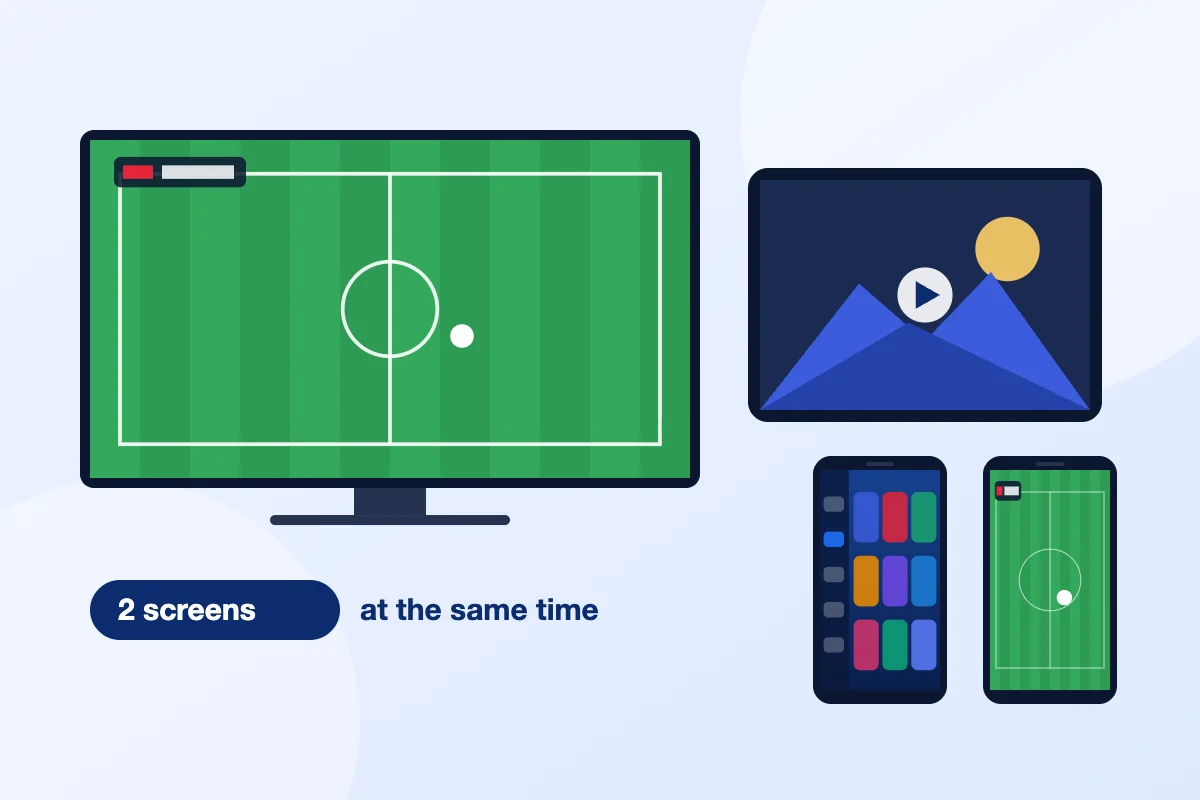
A 1-device plan lets one screen stream at a time. You can install the app on your living room TV, your phone and your laptop, but only one of them can play at once. A 2-device plan lets two screens play together, for example a game in the living room while someone else watches a movie in the bedroom.
If two people in your home often watch at the same hour, pick 2 devices. If you mostly watch alone, 1 device costs less. For more than two screens, ask our WhatsApp support before you buy.
Which plan length should I pick?
- 1 month ($14.99): a full IPTV subscription with no long commitment, good for your first month.
- 3 months ($29.99): a good fit for a few busy months, such as the playoffs or the holiday season.
- 6 months ($39.99): covers a long sports season, such as football from preseason to the final game.
- 12 months ($64.99): the lowest cost per month and our “Best value” plan, for anyone who already knows the service works on their setup.
IPTV subscription price per month: the math
Longer IPTV plans cost less per month. The 12-month plan at $64.99 works out to about $5.42 a month ($64.99 divided by 12), compared with $14.99 when you buy one month at a time. The table shows the total IPTV cost of one full year, depending on how you buy it.
| How you cover 12 months | 1 device, total | 2 devices, total |
|---|---|---|
| 12 x 1-month plans | $179.88 | $311.88 |
| 4 x 3-month plans | $119.96 | $187.96 |
| 2 x 6-month plans | $79.98 | $139.98 |
| 1 x 12-month plan | $64.99 | $117.99 |
For comparison, the average US cable TV bill is about $147 a month (CableTV.com, 2026), or roughly $1,764 over a year. Even the 2-device annual plan costs less than one month of that average cable bill.
How do I buy an IPTV subscription step by step?
To buy an IPTV subscription from SmartVPro, choose a plan length and screen count, complete checkout, then check your email for login details, which usually arrive within about 5 minutes.
- Check your channels. Send the channels you care about, such as local news, your teams, Spanish-language or international groups, to our WhatsApp support and we will check them against the current lineup. You can also browse the US channel guide.
- Check your device and speed. Make sure your TV or streaming device is on the supported list, and that your connection gives about 10 Mbps per HD stream or 25 Mbps per 4K stream.
- Pick your plan. Choose 1 or 2 devices and a length of 1, 3, 6 or 12 months from the plan cards above.
- Complete checkout. Type your email address carefully, because that is where your login details are sent.
- Open the email and install the app. Follow the steps in the email or in our IPTV setup guide, then sign in with your details.
- Ask for help if you need it. WhatsApp support is open 24/7 and can walk you through setup on any supported device.
Not ready to pay for a full month yet? Start with the $1 24-hour test pass on one device, then buy an IPTV subscription once you have tried it on your own TV and internet.
What should I check before I buy the best IPTV subscription?
The best IPTV subscription for your home carries the channels you watch, runs on your devices, has a written refund policy, answers support fast and charges one clear price.
- Your channel list, not the total. A big number means little if your local news or your team is missing. Ask for a channel check before paying.
- Device support. Confirm that the IPTV service names the app it uses and helps you install it on your TV or stick.
- Internet speed. Run a speed test on the device you will watch on. The FCC broadband speed guide explains how much speed common online activities need.
- Refund window. Look for a written policy. SmartVPro offers a 7-day money-back guarantee, explained on our refund policy page.
- Billing terms. One payment, no contract and no auto-renewal means you are never charged again unless you choose to renew.
- Support before you pay. Send a question first. The reply time tells you what support will be like after you subscribe.
Our guide to choosing the best IPTV in the USA covers these checks in more detail, with red flags to avoid and a seven-day test plan.
What happens after payment?
After payment, SmartVPro emails your login details and setup steps, and activation usually takes about 5 minutes, although it can sometimes take up to 3 hours.

If the email has not arrived after 3 hours, check your spam or promotions folder first, then message WhatsApp support with the email address you used at checkout.
Next, install a compatible IPTV player app on your device and sign in. The channel list and TV guide load on their own, and most setups take about ten minutes. On a Fire TV Stick, our Firestick setup guide shows each screen.
Your IPTV subscription runs for the length you paid for, then stops. Nothing renews on its own. When it ends, you can buy the same plan again, switch to a longer plan for a lower monthly price, or move from 1 to 2 devices. If the service does not work as described in the first 7 days and support cannot fix it, the money-back guarantee applies.
IPTV service vs streaming apps: what is the difference?
An IPTV service like SmartVPro delivers live channels and a movie library through one player app with a TV guide, while most streaming apps offer either their own library or a smaller channel bundle.
- On-demand streaming apps focus on movies and series. Live channels are limited or missing, and each app is a separate monthly bill.
- Live TV streaming apps from large media and tech companies carry national networks, often with a cloud DVR, but with a few hundred channels and a higher monthly price.
- An IPTV service puts live channels and on-demand titles in one app. With SmartVPro that means 34,000+ channels, including sports, PPV event channels, Spanish-language and international groups, plus 195,000+ movies and series.
The trade-off is setup. A big streaming app installs from your TV’s app store and signs in with one account. An IPTV subscription needs a player app and the login details from your email, which takes a few extra minutes. That is why setup help on WhatsApp comes with all our IPTV plans.
Price is the other difference. If you pay for several streaming apps today, add up those bills before you choose. An IPTV subscription USA plan from about $5.42 a month on the 12-month option may replace some of them.
IPTV Subscription FAQ
What is the cheapest IPTV subscription plan?
The lowest upfront price is the 1-month, 1-device plan at $14.99. The lowest price per month is the 12-month, 1-device plan at $64.99, which works out to about $5.42 a month with one payment.
Is a 12-month IPTV subscription worth it?
A 12-month plan is worth it once you know the service works on your TV and internet. It costs $64.99 on one device, about 64% less per month than buying single months at $14.99.
Can I use one IPTV subscription on two TVs?
Yes, you can install it on both TVs, but a 1-device plan streams on one screen at a time. To watch on both TVs at once, choose a 2-device plan, starting at $25.99 for one month.
Do all IPTV plans include the same channels?
Yes. Every SmartVPro plan includes the same 34,000+ live channels and 195,000+ movies and series. Plans differ only in length, from 1 to 12 months, and in the number of screens, 1 or 2.
Are sports and PPV included in the IPTV subscription?
Yes, sports and PPV event channels are part of every plan at no extra cost, including national and regional sports networks, league channels and PPV channels for boxing, MMA and special events. Lineups change, so check yours first.
What internet speed do I need for an IPTV subscription?
Plan on about 10 Mbps per HD or Full HD stream and about 25 Mbps per 4K stream. On a 2-device plan, add both streams together, so two 4K screens need about 50 Mbps.
How will I receive my IPTV login details?
Your login details arrive by email after payment, along with setup steps. Activation usually takes about 5 minutes and can take up to 3 hours. Check your spam folder, then message WhatsApp support if nothing arrives.
Can I check if my channels are included before I buy?
Yes. Send the list of channels you watch to SmartVPro WhatsApp support and the team will check it against the current lineup. You can also browse the US channel guide on the site before choosing a plan.
Do I need a special box for an IPTV service?
No special box is needed. SmartVPro works on Amazon Fire TV Stick, Samsung and LG Smart TVs, Android TV and Google TV boxes, Nvidia Shield, Apple TV, iPhone, iPad, Android phones and tablets, and Windows or Mac computers.
What if my IPTV subscription does not work for me?
Contact WhatsApp support first, because many problems come from setup or Wi-Fi and can be fixed quickly. If the service still does not work as described, the 7-day money-back guarantee applies under the refund policy.
Key takeaways
- Price: $14.99 for 1 month up to $64.99 for 12 months (about $5.42 a month) on one device; 2-device plans cost $25.99 to $117.99.
- Content: 34,000+ live channels including US local, sports and PPV, plus 195,000+ movies and series in 4K, Full HD and HD.
- Devices: Fire TV Stick, Android TV, Apple TV, Samsung and LG Smart TVs, phones and computers, with setup help included.
- Speed: login activated about 5 minutes after payment; one-time payment, no contract, no auto-renewal.
- Peace of mind: $1 24-hour test pass, 7-day money-back guarantee, 24/7 WhatsApp support and 99.9% server uptime.
1 Month
Best for trying SmartVPro or watching month to month with zero commitment.
$14.99 per month$25.99 per month
Pay month to monthPay month to month
- 1 connection (one screen at a time)2 simultaneous connections
- 4K, Full HD and HD streams (4K where the source allows)
- 34,000+ live channels, including sports and PPV
- 195,000+ movies and series on demand
- TV guide (EPG) and catch-up on supported channels
- Channels and library updated regularly
- Fire TV, Android TV, Apple TV, Smart TVs, phones and PCs
- 24/7 help on WhatsApp, including setup
- Activation about 5 minutes after payment
- One-time payment, no auto-renewal
- 7-day money-back guarantee
Payment details by email · No auto-renewal
3 Months
Best for a sports season or anyone who wants a lower monthly cost and flexibility.
$10.00 per month$15.66 per month
Save 33% vs. $44.97 at the monthly rateSave 40% vs. $77.97 at the monthly rate
- 1 connection (one screen at a time)2 simultaneous connections
- 4K, Full HD and HD streams (4K where the source allows)
- 34,000+ live channels, including sports and PPV
- 195,000+ movies and series on demand
- TV guide (EPG) and catch-up on supported channels
- Channels and library updated regularly
- Fire TV, Android TV, Apple TV, Smart TVs, phones and PCs
- 24/7 help on WhatsApp, including setup
- Activation about 5 minutes after payment
- One-time payment, no auto-renewal
- 7-day money-back guarantee
Payment details by email · No auto-renewal
6 Months
Best for households ready to drop cable and pay much less per month.
$6.67 per month$11.67 per month
Save 56% vs. $89.94 at the monthly rateSave 55% vs. $155.94 at the monthly rate
- 1 connection (one screen at a time)2 simultaneous connections
- 4K, Full HD and HD streams (4K where the source allows)
- 34,000+ live channels, including sports and PPV
- 195,000+ movies and series on demand
- TV guide (EPG) and catch-up on supported channels
- Channels and library updated regularly
- Fire TV, Android TV, Apple TV, Smart TVs, phones and PCs
- 24/7 help on WhatsApp, including setup
- Activation about 5 minutes after payment
- One-time payment, no auto-renewal
- 7-day money-back guarantee
Payment details by email · No auto-renewal
12 Months
Best for year-round viewing: pay once and get the lowest monthly cost.
$5.42 per month$9.83 per month
Save 64% vs. $179.88 at the monthly rateSave 62% vs. $311.88 at the monthly rate
- 1 connection (one screen at a time)2 simultaneous connections
- 4K, Full HD and HD streams (4K where the source allows)
- 34,000+ live channels, including sports and PPV
- 195,000+ movies and series on demand
- TV guide (EPG) and catch-up on supported channels
- Channels and library updated regularly
- Fire TV, Android TV, Apple TV, Smart TVs, phones and PCs
- 24/7 help on WhatsApp, including setup
- Activation about 5 minutes after payment
- One-time payment, no auto-renewal
- 7-day money-back guarantee
Payment details by email · No auto-renewal
All prices in US dollars, paid once per plan. After you order, payment details are emailed to you, usually within 5 minutes to 3 hours, and your login is activated about 5 minutes after payment. Need more than two screens? Ask us on WhatsApp.
Compare IPTV USA Plans
| Feature | 1 Month | 3 Months | 6 Months | 12 Months |
|---|---|---|---|---|
| Price, 1 device | $14.99 | $29.99 | $39.99 | $64.99 |
| Per month, 1 device | $14.99 | $10.00 | $6.67 | $5.42 |
| Price, 2 devices | $25.99 | $46.99 | $69.99 | $117.99 |
| Per month, 2 devices | $25.99 | $15.66 | $11.67 | $9.83 |
| Savings vs. monthly rate (1 / 2 devices) | None | 33% / 40% | 56% / 55% | 64% / 62% |
| Live channels | 34,000+ | 34,000+ | 34,000+ | 34,000+ |
| Movies and series | 195,000+ | 195,000+ | 195,000+ | 195,000+ |
| Picture quality | 4K, FHD, HD | 4K, FHD, HD | 4K, FHD, HD | 4K, FHD, HD |
| TV guide and catch-up | Yes | Yes | Yes | Yes |
| 24/7 WhatsApp support | Yes | Yes | Yes | Yes |
| 7-day money-back guarantee | Yes | Yes | Yes | Yes |
| Auto-renewal | No | No | No | No |
| Best for | Trying IPTV, short stays | One season of sports | Cutting the cable bill | Lowest cost, renew once a year |
How much does an IPTV subscription cost in the USA?
A SmartVPro IPTV subscription in the USA costs $14.99 for one month, $29.99 for three months, $39.99 for six months or $64.99 for twelve months on one device.
Two-device plans cost $25.99, $46.99, $69.99 and $117.99. Every plan is a single payment with no contract and no automatic renewal. On one device, the 12-month plan works out to about $5.42 a month, roughly 64% less than paying month to month. The full breakdown is in the plan comparison above.
What do you get with a SmartVPro IPTV subscription?
Every SmartVPro IPTV subscription includes 34,000+ live channels, 195,000+ movies and series, sports and PPV events, a TV guide with catch-up, 4K where available, and 24/7 WhatsApp support.
There are no tiers or add-on packs: the 1-month plan and the 12-month plan unlock exactly the same content. You only choose how long you want to watch and whether you need one screen or two at the same time. See what is in each category in the US channel guide.
How does SmartVPro compare with cable TV and free IPTV?
SmartVPro costs far less per month than a typical cable package, needs no contract or rented box, and offers support and a refund window that free IPTV playlists do not.
| Compared on | SmartVPro IPTV | Traditional US cable | Free IPTV playlists |
|---|---|---|---|
| 4K and stability | 4K where the source allows, HD versions on many channels, 99.9% server uptime | Very stable; 4K limited to selected channels and equipment | Unpredictable; links often go offline without notice |
| Channel count | 34,000+ live channels and 195,000+ movies and series | Depends on the package, typically a few hundred channels | Varies; lists are often outdated |
| Sports and PPV | Included in every plan | Sports tiers and PPV events usually cost extra | Unreliable, especially during big events |
| Price per month | $5.42 to $14.99 on one device | Average $147 (CableTV.com, 2026) | $0, with no service commitment |
| Contract | None; one-time payment | Often 12 to 24 months | None |
| Customer support | 24/7 on WhatsApp, real people | Phone and chat support | None |
| Refunds | 7-day money-back guarantee | Early termination fees may apply | Not applicable |
Free ad-supported apps from established media companies are a different category: they are reliable but carry a much smaller lineup. Read the full IPTV vs. cable cost and sports breakdown.
Which IPTV plan should I choose?
Choose the 1-month plan to try SmartVPro, the 3- or 6-month plan to cover a sports season, and the 12-month plan for the lowest cost at about $5.42 per month.
If two people often watch different things at the same time, pick a 2-device plan. You can install the app on as many of your own devices as you like; only the number of screens streaming at once is limited.
Will SmartVPro buffer during live sports?
No streaming service can promise zero buffering on every connection, but SmartVPro runs at 99.9% server uptime, and most game-day freezing is fixed with a wired connection and 25 Mbps for 4K.
In our support experience, the most common causes of buffering are weak Wi-Fi, other devices using bandwidth, and older streaming sticks low on memory. Our guide to fixing IPTV buffering walks through each fix, and switching a channel from 4K to HD solves most short stutters instantly.
Can I test SmartVPro before buying a full plan?
Yes. SmartVPro offers a 24-hour test pass for $1 that you can buy at checkout, and every full plan also includes a 7-day money-back guarantee if the service does not work as described.
Use the test to check your own channels, devices and connection at the times you normally watch, ideally during a live game. If you then buy a plan, the 7-day guarantee still applies under our refund policy.
How fast can I start watching after I subscribe?
After you order, SmartVPro emails payment details within 5 minutes to 3 hours, activates your login about 5 minutes after payment, and sends setup steps for your device by email.
Setup itself usually takes about ten minutes. On a Fire TV Stick, follow our Firestick IPTV setup guide; for other devices, use the setup guide or message us on WhatsApp.

Which devices work with an IPTV subscription in the USA?
SmartVPro works on Amazon Fire TV Stick, Android TV and Google TV, Apple TV, iPhone and iPad, Samsung and LG Smart TVs, Android phones, Windows and Mac computers, and MAG boxes.
Your subscription runs inside a compatible IPTV player app, so you are not tied to one box. Installation help for your exact device is included with every plan.
Is there a contract or automatic renewal?
No. Every SmartVPro IPTV subscription is a one-time payment for a fixed period, with no contract, no cancellation fee and no automatic renewal, so you decide when and whether to renew.
That makes it easy to start with one month and move to a longer plan once you are happy with the service.
Before You Subscribe: Three Short Guides
Start Your IPTV Subscription in the USA Today
Choose a plan, pay once, and get your login about 5 minutes after payment. If it does not work as described on your device and we cannot fix it, you get your money back.